
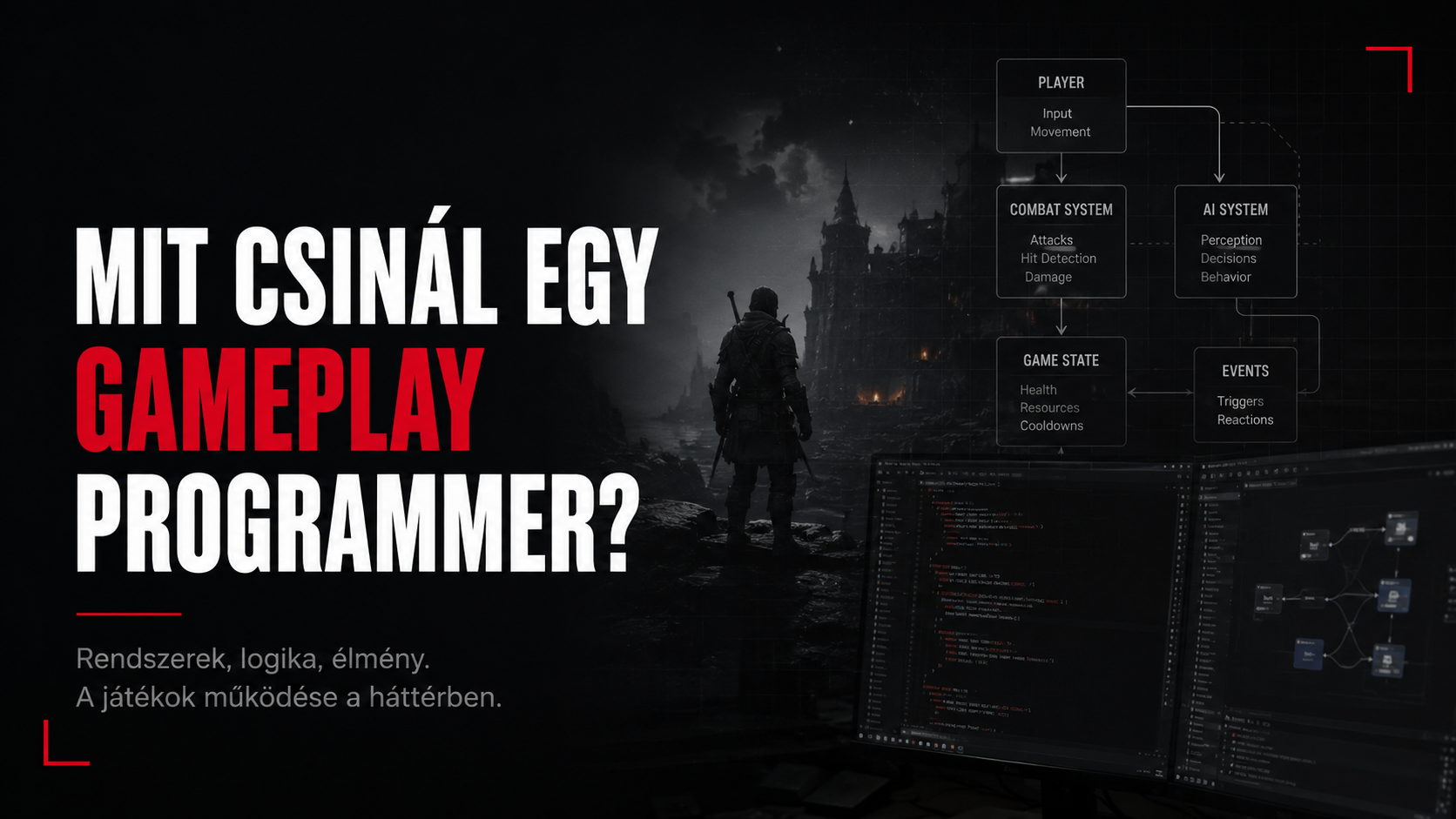
What is this piece actually about?
Not about which language you need to learn to make games. It's about how a gameplay programmer thinks as an idea turns into a system that works, can be tested, can be maintained, and can be put in front of millions of players.
The examples are intentionally fictional and engine-agnostic. No internal or NDA-covered project details are used.
Let's start with the basics1. The simplest answer – and what's behind it
In short, a Gameplay Programmer's job is to turn a game's rules and interactions into working software. That's a sentence you can say at a family dinner without anyone asking a follow-up question. The problem is that it's about as precise as saying a surgeon "fixes people."
In reality, the gameplay programmer works exactly where game design, the engine, animation, physics, AI, input, camera, UI, audio, the save system, and sometimes networking all push against each other. Ideally, the player sees none of this. They just press a button, and the character does what they expected.
Take a ridiculously simple example: the player walks up to a door, presses the interact button, and the door opens. Done. Ticket closed. Let's go home.
Of course not.
Half an engine can hide behind a single door
- How do we know the player is close enough to the door?
- How do we know they actually want to use the door, and not the object lying next to it?
- What angles can it be used from? From behind too? Through a wall too?
- Do we need to stop the character? Do we need to lock input?
- Is the door animated, physics-driven, or both?
- What happens if an NPC is standing in the doorway?
- Does the camera follow the animation, or does it stay under the player's control?
- Is there sound, VFX, a UI prompt, haptics?
- Does the state need to be saved? Does it stay open after a reload?
- In multiplayer, who has authority? Whose machine decides the door is open?
Gameplay programmer, translated
"Open the door" = a design intent. A big part of the job is deciding exactly which states, rules, interfaces and error handling that intent is made of.
2. The gameplay programmer as a connective layer
Gameplay programming rarely lives in isolation. A movement feature is impossible without animation, a combat system isn't worth much without hit detection, an interaction system is unusable without UI feedback, and even the world's most beautiful ability system quickly becomes irrelevant if the game designer can only tune it by rewriting source code.
That's why a good gameplay programmer doesn't need to be a specialist in every discipline, but does need to understand the boundaries between them. They need to know when the bug is in their own system, when to look inside an animation state machine instead, when the collision setup is wrong, and when there's simply a hole in the spec big enough to drive a horse through.
Design isn't code, but code has to preserve design intent
A designer typically expresses behavior: "the dodge should feel responsive," "the weapon should feel heavy," "there should be a short commitment window after an attack." These aren't variable names. It's the gameplay programmer's job to break them down into technical concepts: input buffering, cancellation window, animation notify, state transition, movement lock, camera response, recoil, hit stop, cooldown, priority, and a dozen other small details.
The trick is to do this without pouring day-one numbers into concrete. Production gameplay code is usually data-driven: the designer gets parameters they can safely tune without needing a new build or a programmer's involvement for every change.
From ticket to system3. The life of a feature: "Let the player dash"
Say we get a simple task: on a button press, the player should be able to dash forward quickly. At the prototype level, this really can be just a few lines.
if (Input.DashPressed())
{
    Character.AddImpulse(Forward * DashForce);
}
And the feature works. Right up until someone actually starts playing with it.
Questions from the first five minutes
- Can you dash in the air? If so, how many times?
- What happens on a slope, on stairs, or in a very tight space?
- Do we dash toward the camera direction, or the character's forward direction?
- What happens if the character hits a wall mid-dash?
- Can an attack interrupt a dash? Can a dash be interrupted by an attack?
- Is there stamina or a cooldown? When does the cooldown start?
- Does root motion move the character, or gameplay movement?
- What happens at 30, 60 and 144 FPS?
- What happens if a jump and a dash input arrive in the same frame?
- What state does it come back from after a save/load or checkpoint restore?
This is where real gameplay programming begins. Not in the "move the character quickly" part, but in defining the valid states, the transitions, the priorities, and how the system behaves when the player does something the ticket's author never thought of.
States matter more than the number of ifs
enum class EMovementState
{
    Grounded,
    Airborne,
    Dashing,
    Climbing,
    Disabled
};

bool CanDash() const
{
    return State == Grounded && Cooldown <= 0.0f && Stamina >= DashCost;
}
This is still a simplified example, but it already expresses the rule. Production code will of course bring in ability tags, action priorities, animation states, gameplay effects, or other engine-specific systems. The point isn't that everything needs a state machine. The point is that the rules need to exist explicitly somewhere – not spread across fourteen separate callbacks, three bools, and a comment nobody has dared to delete since 2024.
Prototype vs. production
A prototype proves an idea can work. A production system proves the idea keeps working once the entire game touches it.
4. Input: a button press is not the same as intent
Input handling looks simple at first glance: button pressed → function call. But a game that feels responsive often handles input buffering, priorities, hold/tap distinctions, dead zones, rebinding, gamepad/keyboard differences, and context-dependent mapping.
If the player presses dodge during the last few frames of an attack, do we expect the dodge to fire the instant the attack allows it? If yes, that needs input buffering. If not, the game may be technically correct, yet still feel "sluggish."
A game feel moment
Responsiveness often doesn't mean every input executes instantly. It means the game reacts consistently, and close to what the player intended.
This is one reason a gameplay programmer's job isn't purely about algorithms. You also have to understand how a technical decision turns into a feeling.
Make it feel good for the player, not for Newton5. Movement, physics and collision: where reality politely excuses itself
Game physics rarely aims for a perfect physical simulation. The goal is for the system to feel believable, controllable and fun. A character controller, for instance, often deliberately "cheats": it climbs stairs without actually colliding with every single step, stabilizes on slopes, is more maneuverable in the air than reality would allow, and sometimes still allows a jump with a bit of tolerance even after the player has technically already walked off the platform.
The famous coyote time
If the player presses jump a few tenths of a second after leaving a platform, many games still accept it. Physically, that's cheating. From a player-experience standpoint, though, we're saying: "I understand what you were trying to do."
The same goes for collision. The visual mesh, the physical collider, and the gameplay hitbox aren't necessarily the same thing. In a combat system, correctly handling the attacking hit volume, the hurtbox, the invulnerability window, and the query channels can be especially important. A single misconfigured collision layer can produce a bug for hours that, at first glance, looks like "surely some animation bug."
Who moves whom?6. Animation and gameplay: two systems, one character
The character's on-screen movement and the gameplay state need to stay in constant sync. An attack, for example, might have a startup, active and recovery phase. The hitbox shouldn't activate whenever the programmer thinks "the animation is roughly there" – it should be tied to a stable event, notify, marker, or other deterministic point.
- When do we block movement input?
- When can the character turn?
- When does the hitbox turn on?
- When can we move to the next hit in a combo?
- What happens if the animation blend gets interrupted?
- What happens if the montage/clip fails to start? Does the gameplay state get stuck?
A good system doesn't blindly assume "the animation will surely play." The gameplay state has to handle interruption, cancellation, teleportation, death state, cutscenes, and every other event that can throw the nice happy path out the window in an instant.
Who gets the interaction?7. Interaction system: the society behind the E key
A generic interaction system typically detects possible targets, ranks them, checks their usability, requests a UI prompt for them, then executes the interaction. Behind "I look at an object and press E" there can easily be a trace, an overlap, an interface, a tag, a distance check, an angle check, line-of-sight, and priority logic.
Interactable* FindBestTarget(const Player& player)
{
    auto candidates = QueryNearbyInteractables(player);
    candidates.RemoveIf([&](auto* x) { return !x->CanInteract(player); });
    SortByScore(candidates, player.ViewDirection());
    return candidates.Empty() ? nullptr : candidates.Front();
}
The real difficulty is making the selection feel stable. If two objects sit next to each other, the prompt shouldn't flicker frame to frame. If the player looks slightly away, they shouldn't instantly lose the target. If an important quest object and a pebble occupy the same spot, the pebble probably shouldn't win the democratic vote.
System-wide consequences8. AI, UI, audio and VFX: a feature rarely ends at the character
Gameplay features often emit events that other systems react to. A gunshot, for example, doesn't just deal damage: it can generate noise for the AI, add recoil to the camera, trigger muzzle-flash VFX, request a UI hit marker, increase a stat, update achievement progress, send haptics to the controller, and, in networked games, replicate the relevant state.
From the gameplay programmer's perspective, proper coupling matters a lot here. If the weapon directly knows the HUD's specific widget class, the audio system, the achievement manager, and every AI controller, you quickly end up with an object whose constructor needs a small UN general assembly. Events, interfaces, and well-defined boundaries help separate these responsibilities.
Good code gets used by others too9. Designer tooling and data-driven systems
The end user of gameplay code is often not the player, but another developer: a designer, animator, technical designer, or QA. That's why usability matters for internal tools too. If a designer has to compile C++ just to change a cooldown, something has probably gone in the wrong direction.
Good designer-facing parameters
- They have understandable names and don't leak internal implementation details.
- They have a sensible range and validation.
- Dangerous combinations are prevented from being created where possible.
- A debug view shows exactly which values the system is currently using.
- You don't need to open five separate assets to understand a single base value.
A well-designed gameplay system is therefore also an API. Just not necessarily for external programmers – for your own team.
The last 10%10. Between a "done" feature and a production-ready feature
One recurring experience in gameplay development is that the first 80–90% of a feature comes together surprisingly fast, and then the last part suddenly grows its own gravitational field. That's not laziness, and not necessarily a bad estimate. A system starts getting genuinely expensive the moment it meets the rest of the game.
Production checklist – at least mentally
- Does it work correctly in every valid state?
- Does it return to a consistent state after interruption and cancellation?
- Can it be saved and loaded?
- Does it initialize correctly after a level transition, respawn, or checkpoint?
- Is it consistent at low and high frame rates?
- Is there debug information when it breaks?
- Does it avoid generating unnecessary allocations or expensive tick work?
- Are the designer-facing parameters validated?
- Can QA reproduce and identify its state?
- For a networked game: are authority, prediction, replication and correction all in order?
A feature that only works on your own test map, right after a fresh launch, and in exactly the order you tried it, technically works. It just isn't necessarily a game feature yet.
The gameplay programmer's natural habitat11. Debugging: "sometimes it doesn't work"
One of the scariest sentences in a QA ticket: "Sometimes the player cannot climb the ladder." No crash. No stack trace. Doesn't always happen. In the video it works once, doesn't work once. Perfect.
In cases like this, good debugging isn't random code changes. First you make the phenomenon reproducible, then narrow down the part of the system where the expected and actual state diverge.
A useful order of thinking
- Reproduction: exactly what sequence of steps, what situation, and what timing does it need?
- Observation: what's the first moment the system's state diverges from the correct one?
- Instrumentation: logs, debug draw, state overlay, breakpoints, traces, or a profiler.
- Hypothesis: a concrete explanation that can be tested.
- Experiment: a test that confirms or disproves the hypothesis.
- Fix: ideally fixing the cause, not papering over the symptom.
- Regression: checking that the fix didn't break three other paths.
// Less usefulLog("Climb failed");

// Much more usefulLog("Climb rejected: state=%s target=%s distance=%.2f angle=%.1f grounded=%d",
    StateName, TargetName, Distance, Angle, bGrounded);
The difference isn't cosmetic. The second log tells you why the system decided what it decided. Debug tooling is one of the biggest speed multipliers in gameplay programming.
The feature has to fit inside the frame12. Performance: 16.6 milliseconds isn't a lot of time
At 60 FPS, a full frame is roughly 16.6 ms. Gameplay, animation, physics, AI, render preparation, and plenty of other systems all have to fit inside that. A single gameplay feature rarely gets extra milliseconds for free just because its class diagram is really pretty.
That's why it's important to recognize expensive patterns: queries that walk the entire world every frame, unnecessary allocations, too many active ticks, poorly cached lookups, needlessly dense collision traces, or polling instead of events.
Not every optimization is a good optimization
It's not the gameplay programmer's job to optimize every line down to the microsecond. You have to measure first. A profiler is usually a much better colleague than intuition. If a simpler, cleaner solution costs 0.01 ms, there's no point spending three days getting it down to 0.008 ms – unless ten thousand instances of it run.
Measure, don't guess
The first step of performance work isn't optimizing – it's proving where the cost actually is.
13. Save/load and persistence: state has to remember
A system gets genuinely interesting once you have to quit the game and load it back up. Does the door stay open? Does the dash cooldown keep counting down? Does the item you picked up respawn? Does the AI come back in the same logical state?
Gameplay state and visual state can easily drift apart here. If, for example, loading only restores the "Open=true" flag but not the door's transform, collision, and navigation state, then it's technically open – it's just still physically a wall. The player probably won't appreciate that philosophical distinction.
With good persistence, it's clear what the minimal authoritative data is that needs saving, and which states can be safely reconstructed from it.
Authority, prediction, correction14. Multiplayer: when there's no longer just one reality
Not every gameplay programmer works on networked games, but if you do, the problem gains a new dimension. The client wants the shot to happen immediately. The server wants to be the one to say whether it really happened. And the network would like to mention there's an 80 ms delay, good luck to everyone.
This is where authority, replication, client prediction, reconciliation, relevancy and bandwidth show up. A dash, for example, might start immediately on the client for good input feel, while the server validates the action. If there's a mismatch, a correction is needed – ideally handled so the player doesn't teleport back two meters on every other attempt.
An important distinction
In single-player we often ask, "what's the current state?" In multiplayer you first have to ask, "who's authorized to say what the current state is?"
15. What does a typical workday look like for a gameplay programmer?
The job is much more than writing new features. A single day can include design syncs, bug triage, code review, profiling, debugging state together with an animator, QA reproduction, tool fixes, and yes, actual implementation too.
For example
- 09:10 – you check yesterday's build and realize the feature that was fine yesterday is now something completely different.
- 09:30 – you clarify with a designer what "make it a bit snappier" actually means.
- 10:00 – you implement an action-cancellation rule.
- 11:20 – it turns out the bug is really an animation transition, but the gameplay state also mishandles the interruption. Tie.
- 13:00 – code review: someone named a bool bShouldMaybeUseAlternateAttackSometimes. You work through that together.
- 14:00 – profiler: a 0.4 ms tick turns out to rebuild the exact same list every single frame.
- 15:30 – you and QA reproduce a bug that only shows up at 30 FPS.
- 16:47 – a bug arrives whose first comment is: "100% repro, only on one staircase."
Behind the humor, the important part is that gameplay work is heavily collaboration-driven. Communication, clarifying the spec, and debugging together are often just as important as the code itself.
The roles aren't universal16. What doesn't a Gameplay Programmer necessarily do?
The title can vary between studios, so there's no single perfect definition. In some places a gameplay programmer works very closely with character and combat systems; elsewhere they build abilities, interaction, quest gameplay, AI integration, or the player framework. In a smaller team, the scope of responsibility can be much wider.
Generally, though, the gameplay programmer doesn't write the renderer, the platform abstraction layer, the entire audio engine, or the low-level memory allocator – though they may certainly touch these systems. The difference is more a matter of focus: they primarily write the code that directly implements the game's rules and the behavior the player perceives.
Syntax is just the entry ticket17. What skills does it take?
Technical fundamentals
- Strong programming fundamentals: data structures, object lifecycle, memory, debugging, basic concurrency knowledge.
- C++ or the given engine's main language and scripting layer.
- State machines, event-driven systems, component-based design, and API design.
- Math: vectors, transforms, interpolation, basic geometry.
- Basic concepts of physics and collision.
- Profiling and performance thinking.
- Version control, code review, and navigating a large codebase.
The part that's harder to teach
- Breaking down a vague design request into a technical problem.
- Finding the right level of abstraction: neither too specific nor too generic.
- Recognizing whether a bug is a symptom or a root cause.
- Communicating about the same feature with other disciplines.
- Weighing the player's intent alongside "mathematically correct" behavior.
- Producing a solution that's good enough and maintainable, instead of chasing endless polish.
18. Junior vs. experienced gameplay thinking
A junior developer often naturally focuses on the core of the task: "how do I implement this mechanic?" A more experienced gameplay programmer looks at the system's boundaries at the same time: "who can call this, in what state, what can interrupt it, how do we debug it, how does the designer tune it, what needs to be saved, what does it cost per frame, and what will this break?"
That doesn't mean the senior solution is always bigger. Quite the opposite, actually. One sign of experience is often knowing when you don't need to build a framework around a single bool. Generalizability has value, but unwarranted abstraction can just as easily be technical debt.
The right question
Not "what's the cleverest way to write this?" but "what's the simplest system that correctly handles the real requirements and is likely to stay maintainable?"
19. So, in the end, what does a Gameplay Programmer actually build?
A gameplay programmer obviously writes code. Classes, components, states, queries, events, data structures, and debug tools. But those are just the building blocks.
The actual product is that the character jumps exactly when the player wants to jump. That a hit feels heavy. That an interaction is predictable. That the system doesn't fall apart when the player presses jump, interact, and pause all at once at the top of a ladder. That the designer can tune it, QA can reproduce it, the animator can hook into it, and the next programmer can still understand what we meant six months from now.
And when everything works well, the player will only say: "That felt good."
They'll probably never know how many state transitions, collision queries, animation events, debug overlays, and "how on earth did this happen?" moments it took to get there.
Maybe that's for the best.
If it had to be summed up in one minute
- A gameplay programmer turns design intent into working, explicit rules.
- They tie together multiple systems into the behavior the player perceives: input, state, animation, physics, AI, and feedback.
- They don't just implement the happy path: edge cases, interruption, saving, performance, and debuggability all get handled too.
- A good gameplay system is designer-friendly, QA-friendly, and understandable to the next programmer.
- The final measure isn't "does the code run," but whether it's consistent, responsive, and feels good to play.