
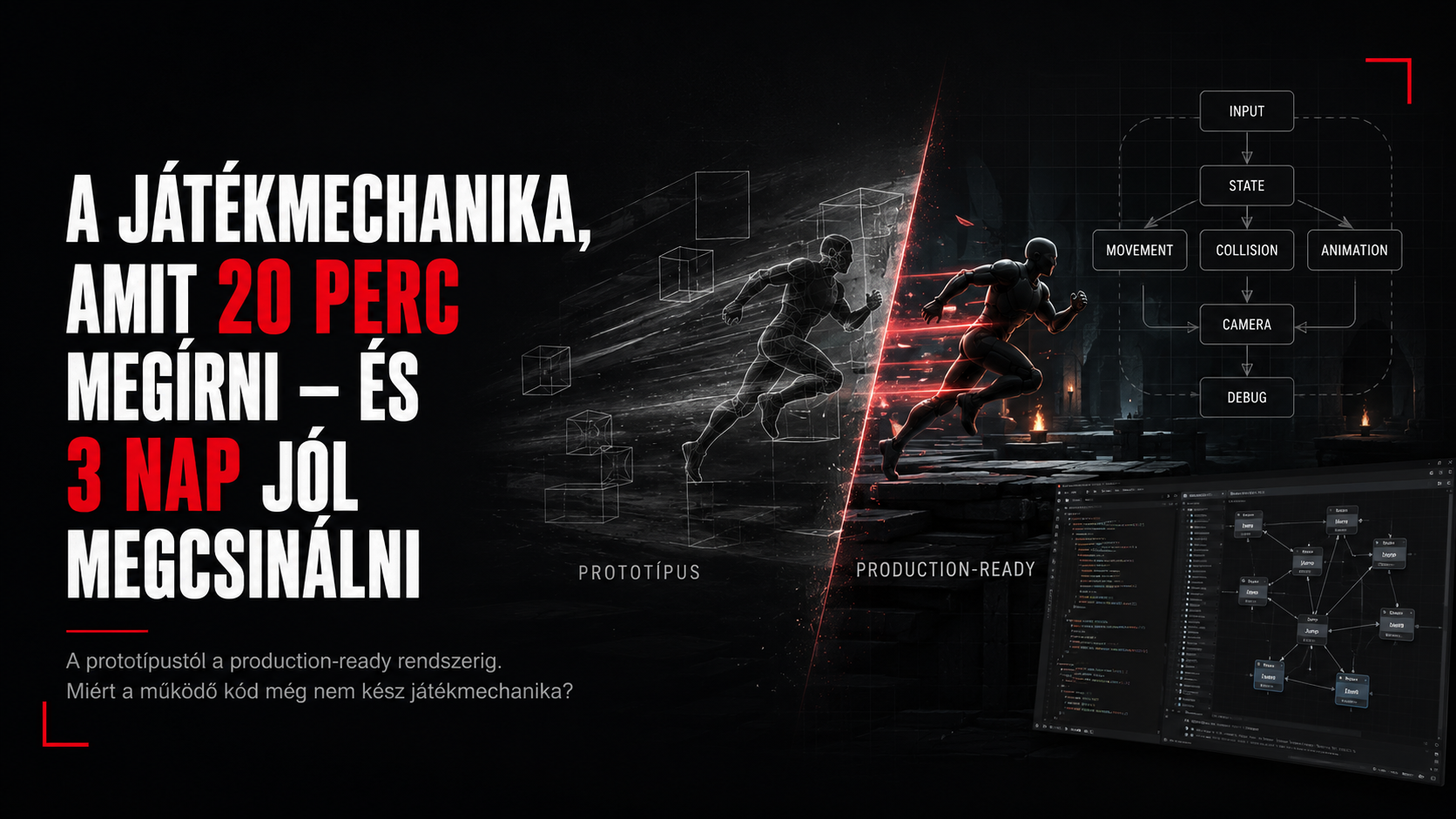
In short
"Works on my machine" isn't a milestone in gameplay programming. It's more of a dangerously optimistic status report.
In this article we'll take a simple dash mechanic apart to see what turns an idea into a first working prototype, and then into a system a designer can tune, an animator can hit, QA can break, the network can keep in sync, and you'll still dare to touch six months from now.
| Prototype | Production |
|---|---|
| You press the button → dash | Input policy + state + cooldown + authority |
| The character moves | Movement, collision, slopes, ledges, air state |
| Looks good on your machine | Animation, camera, VFX, audio, frame rate |
| Done, according to QA: "cute" | Professional, relaxed, and dangerously close to the truth. |
1. The 20-minute miracle
You get a ticket: "Let the player dash forward." The task description is short, the design seems simple, the coffee is still warm. Every sign points to this being a pleasant morning feature.
At this stage, the prototype's goal isn't to be correct in every situation. Its goal is to quickly answer the most important question: does the idea feel good at all?
The naive implementation
void PlayerCharacter::Dash()
{
    const Vec3 direction = GetForwardVector();
    AddImpulse(direction * dashForce);
}
You press the button. The character shoots forward. It works. Joy. Someone in the background is already halfway to marking the ticket Done.
First lesson
A prototype proves the idea is capable of working. Production code has to prove the idea doesn't break the rest of the game.
So why is a quick prototype still a good idea?
- It cheaply reveals whether the mechanic works as a player experience.
- The designer can now evaluate actual movement, not a spec.
- It reveals which parameters matter: distance, time, acceleration, cooldown, controllability.
- The team can say no to a bad idea sooner – which, from a development standpoint, is genuinely good news.
The first definition of "Done"
At the prototype level, Done means: I pressed the button, something happened, and it was roughly what we wanted. At the production level, Done is a somewhat longer sentence. Long enough that it's about to get its own chapter.
Day one, 10:032. The first enemy: the rest of the game
The dash is simple on its own. The dash inside an existing character system no longer is. Because the character doesn't just dash. It runs, jumps, falls, attacks, gets stunned, plays animations, performs interactions, and might just be hanging off a ladder. And every single state has a strong opinion about whether dashing is allowed right now.
Input ≠ immediate execution
void PlayerCharacter::OnDashPressed()
{
    if (!CanDash())
        return;

    StartDash();
}
Suddenly, questions appear behind CanDash() that, naturally, weren't in the ticket:
- Can you dash in the air? If so, how many times?
- Can you attack during a dash? Can you dash out of an attack?
- Can stun, knockback, or a cinematic state interrupt it?
- What happens if a jump and a dash input arrive in the same frame?
- What happens with input buffering?
A state machine: so not everything talks to everything else
enum class MovementState
{
    Grounded,
    Airborne,
    Dashing,
    Knockback
};

bool CanDash() const
{
    return state != MovementState::Knockback
        && dashCooldown <= 0.0f
        && stamina >= dashCost;
}
Architecture
If adding a feature means asking "are we currently dashing?" in twenty separate places, the dash probably isn't what got too complex. Your system is trying to tell you something.
And now there's a lifecycle
Alongside StartDash(), UpdateDash(), EndDash(), and maybe OnDashInterrupted() show up. The feature is no longer a single function. It has state, entry and exit conditions, resources, and side effects. This is the point where the twenty-minute code starts growing up.
Day one, 11:263. Movement and collision: the wall has opinions too
In open space, the dash is great. On an actual level, though, there are walls. Slopes. Stairs. Ledges. Moving platforms. Door frames. And that one 7-centimeter-tall decorative rock that somehow becomes more important to the feature than the entire combat system.
Impulse or controlled movement?
In the first prototype, an impulse is convenient, but in production it becomes a question of how much you want to trust physics with the movement. A controlled dash is usually more deterministic, easier to tune, and cooperates better with collision.
Vec3 target = position + dashDirection * dashDistance;
HitResult hit;

if (SweepCapsule(position, target, hit))
{
    target = ComputeSafeDashEnd(hit);
}

MoveCharacterTo(target, dashDuration);
Edge-case bingo
| Situation | Question |
|---|---|
| Wall 30 cm away | Do we stop? Slide along it? Bounce off? |
| Downhill slope | Do we keep the horizontal direction, or follow the ground? |
| Ledge | Can we fly over it? Fall off? Stop automatically? |
| Moving platform | Do we compute movement in world space or local space? |
| Narrow gap | Do we let it through if there's no room at the end position? |
| Another character | Does it block? Do we ghost through? Shove? |
A QA preview
A large share of gameplay bugs aren't born because the feature is bad. They're born because the player took it to a piece of geometry the feature never knew existed.
Frame rate and time-based movement
If you add the dash's speed per frame, you get a different game at 30 FPS than at 144 FPS. That's why movement needs to be time-based, collision needs to be continuous, and the end result should ideally be reproducible. The player won't file a bug report about "a deltaTime handling issue." They'll just say: "sometimes the dash is shorter."
Day one, 14:084. Animation, camera, and that certain "feel"
Technically, we're already dashing. Now comes the part where it turns out the mechanic works, it just feels bad to use. One of gameplay programming's most important realizations: a game mechanic isn't just logic. It's a combination of timing, visual feedback, sound, camera, and animation.
Who's driving the movement?
- Gameplay-driven: code moves it, animation follows.
- Root motion: the animation contains the movement, gameplay adapts to it.
- Hybrid: gameplay holds the target and the collision, animation gives the character its feel.
All three can work. What matters is that it's clear which system has authority. If the animation wants to travel 4.2 meters, gameplay wants 4.0, and collision hits a wall at 3.6, someone has to decide. "Hopefully they end up in the same place" is not a stable architecture.
Game feel layers
| Layer | What it provides |
|---|---|
| Animation | Weight, dynamics, pose, readability |
| Camera | Sense of speed, focus, impact |
| VFX | Direction, intensity, state feedback |
| Audio | Start, peak, landing, cooldown feedback |
| Input timing | Instantaneous, or deliberate anticipation |
The numbers aren't sacred
dashDistance might be 4.0 meters in the spec, then become 3.7 because it works better with the animation. dashDuration might be 0.25 seconds, then 0.18, because the game's pacing calls for it. The gameplay programmer's job here isn't to defend the first constant's value. It's to provide a system that can be safely tuned.
Game feel
"Feeling good" isn't some mystical designer magic trick. It's the result of many small, measurable, tunable decisions. The player just has to end up feeling like it was natural all along.
5. Designer tooling: no one should have to call a programmer over 0.05 seconds
If every change to dashDistance, cooldown, or the invulnerability window requires a C++ build, the system technically works, but it's expensive from a production standpoint. Designers need fast iteration. That's why the gameplay programmer builds not just a mechanic, but an editable mechanic.
From hardcoded to data-driven
struct DashConfig
{
    float distance = 4.0f;
    float duration = 0.22f;
    float cooldown = 0.8f;
    float staminaCost = 20.0f;
    Curve speedCurve;
    bool allowInAir = false;
};
A good config doesn't mean every bool and float gets exposed to the editor. Too many parameters are just as much a problem as too few. You need to give controls that represent real design decisions.
Designer-proof doesn't mean designer-hostile
- Sensible default values.
- Validation: a clear error for a negative duration or a zero cooldown.
- Tooltips and units: "distance (m)," not "value2."
- Runtime debug: the current state, cooldown, direction and target should be visible.
- Hot reload or fast preview, where possible.
Tooling
If a designer asks "can I change this somewhere?", the right answer is rarely "sure, on line 847."
Tuning is a feature too
Part of a production-ready gameplay system is iteration speed. A mechanic's quality doesn't just depend on how good the algorithm behind it is, but also on how many attempts it lets the team make in the same amount of time. Good tooling directly improves the game.
Day two, 12:416. Networking: now two players can break it
In single-player, your own machine is the truth. In multiplayer, multiple machines need to tell roughly the same story about the same dash. This immediately raises questions of authority, prediction, reconciliation, and bandwidth.
Who decides the dash actually happened?
A typical approach has the client react to input immediately for responsive feel, while the server validates and authorizes the event. If the two diverge, a correction follows.
// Client
PredictDash(inputSequence, direction);
SendDashRequest(inputSequence, direction);

// Server
if (ValidateDash(player, direction))
{
    ExecuteAuthoritativeDash();
    ReplicateDashState();
}
New problems, same button
- The client thought there was stamina, the server thinks there isn't anymore.
- The client was in front of a wall, on the server they're already half a meter past it.
- A hit taken mid-dash retroactively interrupts the state.
- Packet loss drops the start or end event.
- The other player also needs to see the animation and VFX, but not necessarily at the same level of detail.
Multiplayer
"Works on my machine" is an especially dangerous sentence for networked gameplay. The question is who it works for, at what ping, and what the server thinks about it.
Not every feature needs the same networking model
A competitive movement mechanic might need stricter authority and prediction, while a cooperative, non-critical traversal feature can tolerate more visual correction. Good engineering here, too, starts from the game's requirements, not a single universal recipe.
Day two, 15:327. Save/load, QA, and the long memory
"But why save the dash?" – on its own, maybe there's nothing to save. But the feature, combined with a stamina system, unlocks, perks, or upgrades, might already carry persistent state. Part of production thinking is not just paying attention to the current frame.
Save/load questions
- Is the ability unlocked?
- Is there an upgraded dashDistance or an extra charge?
- What happens if we're in the Dashing state exactly when saving?
- What default do fields missing from an older save get?
- Are config changes compatible with earlier saves?
QA isn't the enemy. It's a force of nature.
QA does exactly what the player will do later: combine the feature with everything you didn't combine it with. Preferably on a Friday afternoon.
| Test | What we're looking for |
|---|---|
| Input spam | Double triggers, cooldown bypass |
| Pause/unpause | Timer, animation, state freezing |
| Low FPS | Distance/timing drift |
| During save/load | Half-finished or illegal state |
| Wall + attack + dash | Priority and interrupt logic |
| Respawn | Resetting state and resources |
Reproducibility
A rare bug only becomes fixable once you can trigger it deterministically, or at least consistently. That's why logging, state history, input history, and debug visualization matter. You can't build a stable fix from "QA saw it once." "Frame 18421: Grounded → Dashing → Knockback, stamina=0, wallHit=true" is a completely different story.
Day three, 09:068. Debugging, performance, and maintainability
The feature now works in a lot of situations. That still doesn't mean it's a good production system. The question now is: if someone gets a bug on it in six months, will they understand what's happening? And meanwhile, is it needlessly eating CPU time every single frame?
Making the invisible visible
DebugDrawDash(
    origin,
    dashDirection,
    dashDistance,
    predictedEnd,
    collisionHit,
    currentState
);
Debug tooling isn't a luxury. For gameplay systems, it often cuts debugging time from hours down to minutes. A good overlay can show the state, input, cooldowns, collision sweep, and the reason for an interruption.
Performance: the small things add up
- Don't run an expensive collision query every frame if you only need it during a dash.
- Don't allocate temporary objects on the hot path.
- Profile it, don't optimize by feel.
- Debug systems should be toggleable off in a shipping build.
- For network replication, only send what actually needs to stay in sync.
Readability > cleverness
A brilliantly terse three-line state transition can be elegant. The question is whether it'll still be elegant in six months, when someone adds a new interrupt. Change is natural in gameplay code. The architecture doesn't just need to nicely represent the current feature list – it needs to survive the next five modifications too.
Engineering
Good gameplay code isn't professional because it's complicated. It's professional because it keeps complicated behavior inside an understandable system.
9. So when is it actually done?
Let's look back at the first twenty minutes. You could press the button back then too, and the character moved forward back then too. So what happened over three days? The feature's core idea didn't change. The guarantees built up around it did.
| After 20 minutes | After 3 days |
|---|---|
| Input calls a function | Input policy + buffering + state validation |
| Forward impulse | Controlled movement + collision + slopes + ledges |
| One constant | Designer config + validation + tuning |
| One animation | Gameplay/animation authority + interrupts |
| Local state | Prediction + server validation + replication |
| "Looks good to me" | QA matrix + debug tools + reproducibility |
| Looks finished | Maintainable and extensible |
The definition of production-ready
Production-ready doesn't mean bug-free. No such system exists. It means the feature works according to known rules, handles the relevant edge cases, cooperates with its environment, and can be tuned, tested, debugged, and safely extended.
The point, in one sentence
Summary
Working code proves you can implement the idea. A good gameplay system proves you understand which game it has to live in.
That's why "this takes twenty minutes to write" is misleading. Often, it's completely true. The core of the mechanic really can be written in twenty minutes. It's just that the player isn't going to use the core of the mechanic. The player is going to break the entire system – next to a wall, mid-jump, at 38 FPS, with 120 ms of ping, combined with some other feature.